
Note: Mech-Q is included with all versions of AViCAD.
Mech-Q is an integrated engineering add-on included with AViCAD that provides practical tools for piping, HVAC, structural, and mechanical drafting directly inside standard DWG files. Instead of searching through large block libraries, Mech-Q uses dialog-driven tools that automatically create thousands of fittings and engineering components as you work, helping speed up repetitive drafting tasks while keeping drawings clean and editable.
The Mech-Q suite includes four main modules—Piping, HVAC, Structural, and Mechanical—all working inside the same AutoCAD-Like CAD environment. Users can create both 2D and 3D layouts, generate isometric drawings, and continue working with standard DWG files that can still be shared with users who do not have Mech-Q installed.
Mech-Q is designed to fit different drafting styles with support for ribbon, toolbar, menu, and command-driven workflows. Most users can get started quickly using the included help videos and real-world examples without needing extensive training or setup.
With Mech-Q you can draw 2D drawings or complex models in 3D.
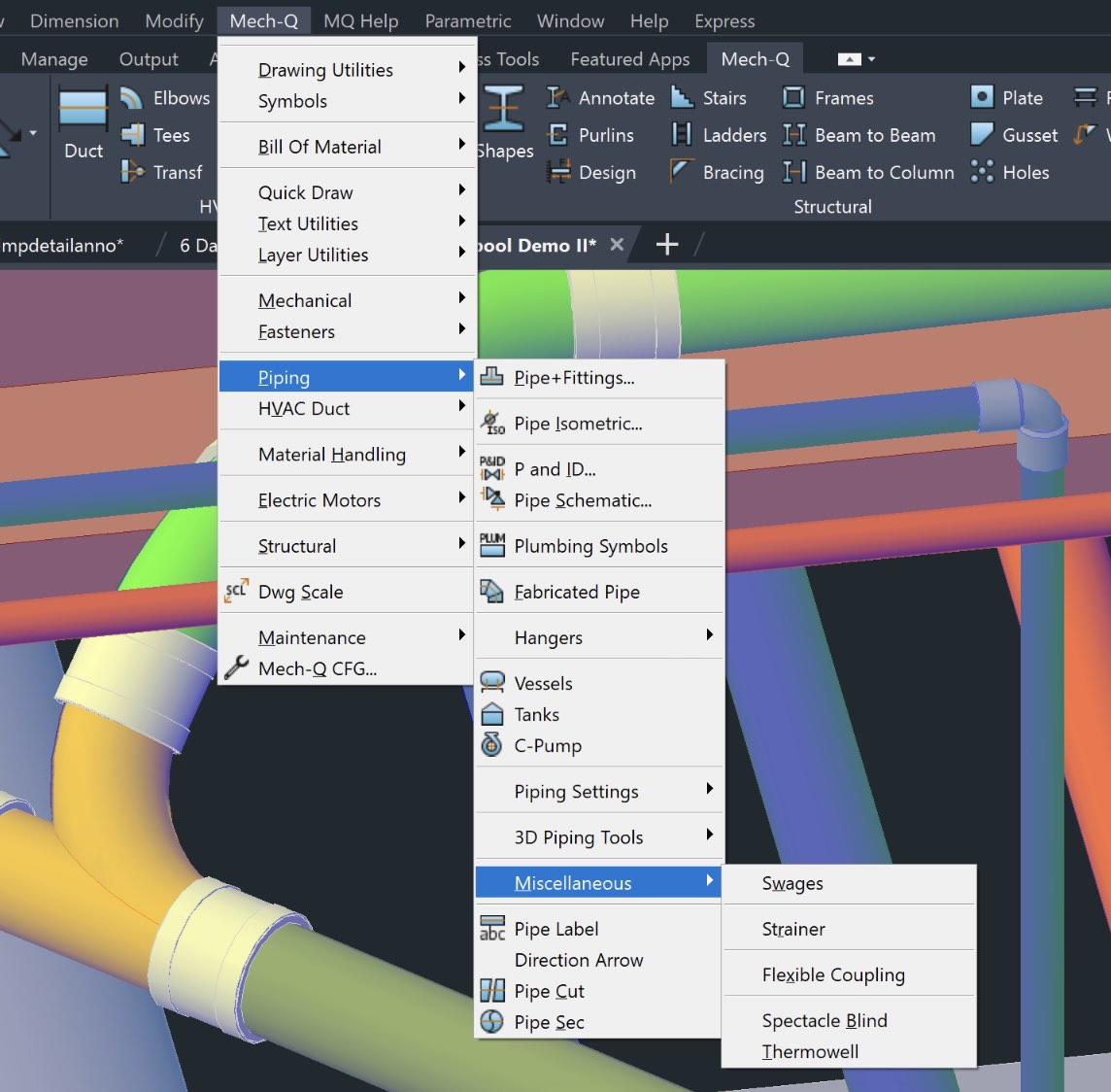
Mech-Q Engineering Software Includes:
Piping Software Module – includes a comprehensive range of pipe, fittings, flanges, and valves: Welded, flanged, threaded, ductile & cast iron, victaulic, stainless, PVC…with auto-BOM and many other utilities. Piping engineers and inspectors will appreciate how Mech-Q can complete their job using industry standards.
Mechanical Software Module – includes a range of mechanical symbols & housings, gears, plus much more. The Mechanical Module includes advanced tools such as material handling items (conveyor rolls, sprockets, Trajectory calculator..), springs, shafts utility, and most modules drawn in 2D or 3D.
HVAC Software Module – includes rectangular, round, and flat oval ducting with auto-BOM, auto-label, and flat sheet development. Our HVAC module includes duct transitions, tees & wyes, offsets, branches, dampers, diffusers, flexible ducts, grills, and other accessories. Using Mech-Q’s parametric modeling tools. HVAC users be able to input their Mechanical designs with ease.
Structural Software Module – allows you to quickly create steel stairs, details, shapes, and more. The Structural Module also includes beam connections, ladders, bracing, hand railing, frames, and a beam designer — many with auto-dimensioning to fabrication detail. Mech-Q can also create 3D models of steel shapes and stairs. 3D objects are assembled based on simple parametric modeling dialogs.

Easily Collaborate With Other Professionals
One of the key advantages of Mech-Q engineering tools is their ability to work within standard DWG-based workflows. Since Mech-Q creates AutoCAD-like CAD objects, engineers and drafting teams can share drawings with clients, vendors, and other professionals without worrying about data conversion or compatibility issues.
AViCAD also supports a wide range of industry standard file formats, including DWG, DXF, STP, and DGN. This helps users exchange both 2D and 3D drawings more efficiently across different CAD environments.
Because Mech-Q fittings remain portable, the receiving end does not need Mech-Q installed to continue working with the drawings.
Beyond standard drafting, Mech-Q provides practical tools for creating piping layouts, structural components, HVAC systems, isometric drawings, and 3D models directly inside the CAD environment.
With more than 35 years of development, Mech-Q continues to provide an affordable alternative to many high-cost engineering applications. Features like BOM generation for schedules and cost estimation, portable fittings, network licensing options, and integrated engineering workflows make Mech-Q a practical solution for both independent CAD users and larger engineering teams.